In this article, we will review several common items that arise around E-Subro Hub evidence functionality and how to navigate through the issues. It is important to remember that a message may not actually be related to the document you are currently updating but could be a document that was associated to the demand in a prior session that was never resolved.
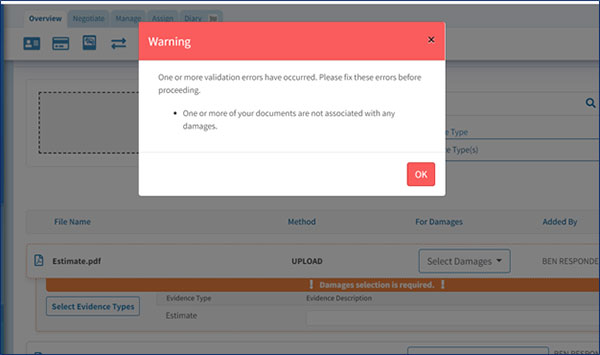
Notification: Validation warning to associate damages.
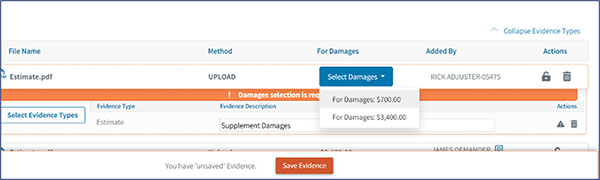
To Resolve: This would occur when there is a supplement to damages, and the evidence needs to be associated to the correct damage entry. Under the “For Damages” menu, select the correct damage entry.
A piece of evidence can only be deleted prior to the document being saved on an issued demand or prior to the actual demand being issued.
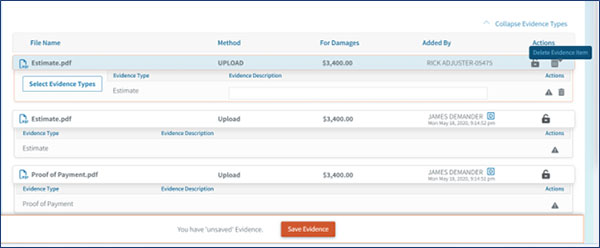
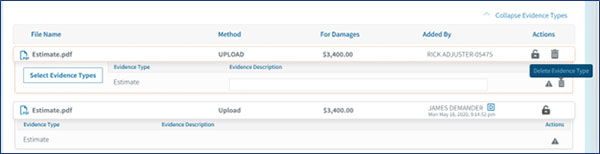
The “Evidence Type” can be revised but the actual document cannot be deleted once it’s added to an issued demand.
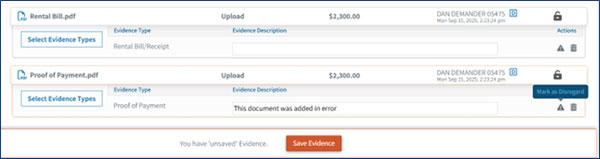
If the evidence item is associated to an issued demand, it cannot be deleted, but it can be indicated as “Mark as Disregard” to notify all parties the document is no longer relevant to the existing demand. This will not remove the document from the E-Subro Hub demand. It may be helpful to add a note in the Evidence Description indicating the document is no longer pertinent.

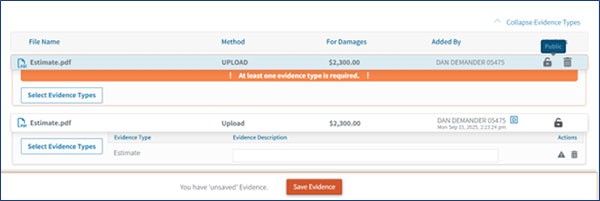
When adding a piece of evidence to a file, the default setting is “Public” and viewable to both parties. The document can be made “Private” when adding the evidence and moved to “Public” at a later time. However, once a document is “Public” it cannot be moved to “Private.”